
This guide takes you from an empty account to a verdict on a real fight: four level-3 heroes against an ogre and four goblins. You need nothing but the app open in a browser.
You will learnHow to set up an encounter, how many fights to run, and how to read the three meters on the verdict.
Before you start
- Open the app from your beta invite.
- Pick the Lantern theme if you want your screen to match the pictures. It is the default.
Build the encounter
- Open EncountersChoose Encounters in the top bar, then New encounter.
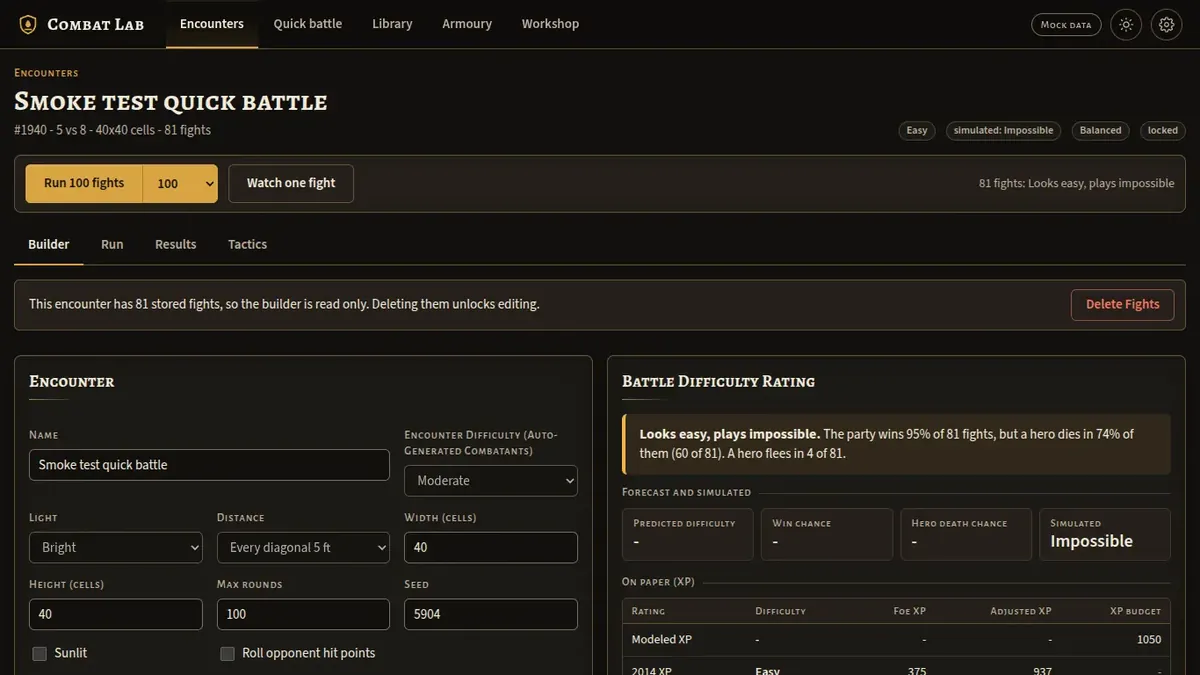
- Give it a nameType Ogre and goblins. Names help when you compare runs later. Press Create.
- Add the partyUnder Party, choose four heroes from the library: a fighter, a cleric, a rogue and a wizard, all level 3.
- Add the opponentsUnder Opponents, search for ogre and add one, then add four goblins.
- Set the ground and rulesLeave the grid at 40 by 40 cells, light at Bright and distance at 60 ft. Keep the default rules for now.
Run it
Open the Run tab and choose how many fights. 100 is the one to trust: enough to trust the percentages, quick enough to wait for. Use 10 or 25 for a quick look.
Press R or the Run 100 fights button. The progress bar fills as fights finish.
TipYou can keep editing the next encounter while a run finishes. Results open on their own.
Read the verdict
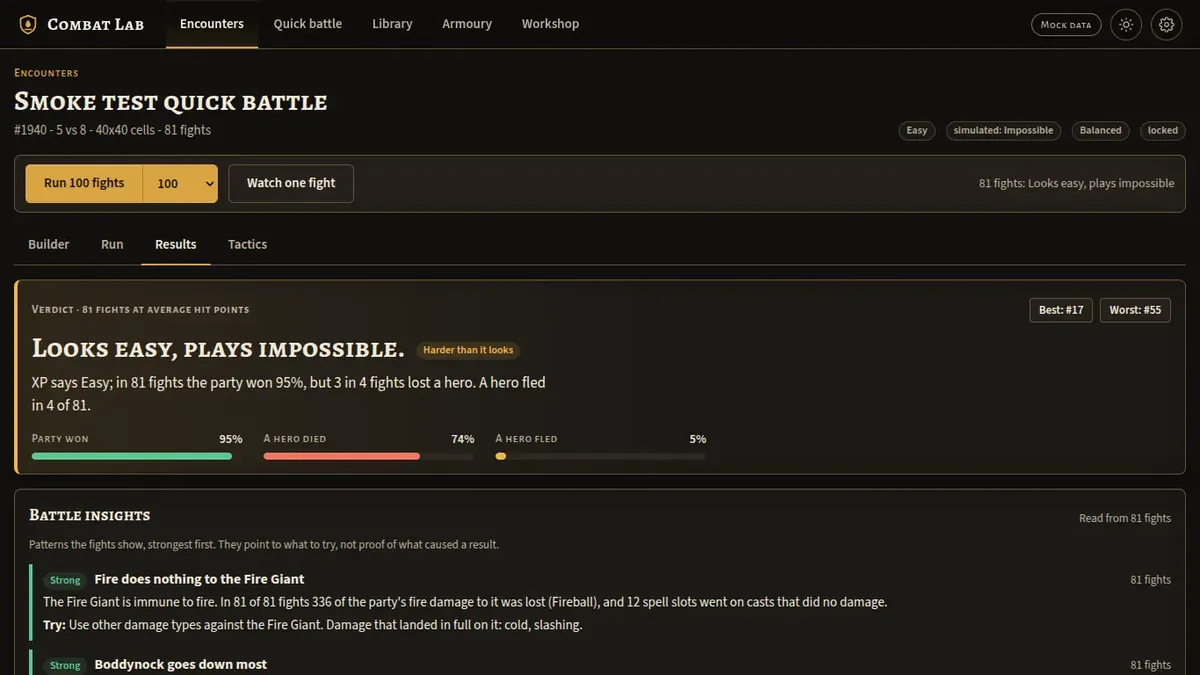
The verdict sits at the top of Results. The headline sums it up, like Looks easy, plays hard. Under it are three meters:
- Party won: the share of fights where the heroes were standing at the end.
- A hero died: the share of fights where at least one hero died. This is the number to watch.
- A hero fled: the share where someone ran or surrendered.
Watch a fight
Press Worst to open the fight that went worst for the party in the Theater. Use Space to play and pause, and ← → to step one event at a time.
Watch forThe round where the first hero drops. Most bad fights turn there, not at the end.